
Uncategorized

SAP Business One

Financial management is the cornerstone of business success, and in today’s digital age, leveraging technology is crucial to mastering it effectively. Two powerful solutions, SAP Business One and SAP Business One on HANA, offer businesses the tools they need to take control of their finances, streamline operations, and make data-driven decisions. SAP Business One on Cloud: Harnessing the Power of the Cloud SAP Business One on Cloud takes financial management to the next level by providing a cloud-based infrastructure. Here’s how it helps businesses excel in financial management: Accessibility and Flexibility: With SAP Business One on Cloud, financial data is accessible anytime, anywhere. This flexibility is especially valuable for businesses with remote or distributed teams, as it allows for seamless collaboration and real-time updates. Scalability: As your business grows, so do your financial data needs. SAP Business One on Cloud scales effortlessly to accommodate increased data volumes, ensuring that your financial management system remains robust and efficient. Cost-Efficiency: Cloud-based solutions eliminate the need for significant upfront hardware and infrastructure investments. This cost-effective approach allows businesses to allocate resources where they matter most—managing finances and driving growth. Automated Updates and Maintenance: Cloud providers handle system updates and maintenance, reducing the burden on your IT department. This ensures that your financial management system is always up-to-date and secure. SAP Business One on HANA: Speed and Performance Redefined SAP Business One on HANA is a game-changer in financial management, thanks to its in-memory computing capabilities. Here’s how it transforms the financial management landscape: Real-Time Insights: HANA’s in-memory database stores and processes data at lightning speed. This means you can access real-time financial data, enabling faster decision-making and more accurate financial planning. Advanced Analytics: HANA’s high-speed data processing allows for advanced analytics and predictive modeling. You can analyze historical financial data to make forecasts and identify trends, giving you a competitive edge. Enhanced Security: HANA’s robust security features protect your financial data from unauthorized access. With data breaches becoming a significant concern, this level of security is essential for maintaining trust and compliance. Efficiency: The speed of HANA significantly reduces the time needed to run complex financial queries and reports. This means your financial team can work more efficiently and dedicate more time to strategic financial planning. The Synergy of Cloud and HANA: The combination of SAP B1 on Cloud and SAP B1 on HANA is a potent one. By leveraging the cloud’s accessibility and scalability alongside HANA’s speed and analytical capabilities, businesses can elevate their financial management to new heights. Imagine accessing your financial data securely from anywhere in the world, running complex financial analyses in seconds, and making data-driven decisions with confidence. This synergy empowers businesses to not only master financial management but also gain a competitive edge in a rapidly changing business environment. Conclusion: Mastering financial management is a strategic imperative for any business, and SAP Business one provide the tools to do just that. Whether you prioritize accessibility, scalability, real-time insights, or advanced analytics, these solutions offer the flexibility to align with your financial management needs. In a world where financial agility and data-driven decision-making are paramount, SAP Business One on Cloud and SAP B1 on HANA stand as beacons of innovation, helping businesses achieve excellence in financial management and secure a prosperous future.

Mastering Financial Management with SAP Business One Read More »
SAP Business One

In the ever-evolving landscape of business operations, efficiency and productivity are key drivers of success. SAP Business One, a powerful Enterprise Resource Planning (ERP) solution, has emerged as a game-changer in this regard. With its robust automation capabilities and streamlined workflows, SAP Business One empowers businesses to optimize their processes and enhance overall performance. The Power of Automation: Automation is at the core of SAP Business One’s value proposition. By automating routine and time-consuming tasks, businesses can free up their employees to focus on more strategic activities. Here’s how SAP Business One achieves this: Automated Data Entry: Manually entering data is not only tedious but also prone to errors. SAP Business One automates data entry, reducing the risk of inaccuracies and ensuring that information flows seamlessly throughout the system. Automated Workflows: The software allows you to define and automate workflows based on your unique business processes. For instance, you can set up automated approval processes for purchase orders, reducing delays and improving efficiency. Automated Alerts: Stay informed about critical events and deviations from established norms with automated alerts. Whether it is low inventory levels or overdue payments, SAP B1 can notify the relevant personnel, enabling timely action. Scheduled Reports: Instead of manually generating reports, you can schedule them to run automatically. This ensures that decision-makers receive up-to-date information without manual intervention. Streamlined Workflows for Improved Efficiency: Efficiency is not just about automation; it’s also about optimizing processes to eliminate bottlenecks and reduce waste. SAP Business One excels in streamlining workflows: Integrated Data: The ERP system integrates data from various departments, providing a unified view of your business operations. This eliminates the need for manual data consolidation and reduces the chances of data discrepancies. Real-time Information: Access to real-time data is crucial for decision-making. SAP Business One provides instant access to critical information, enabling faster and more informed decisions Inventory Management: Streamlined inventory management ensures that you have the right products in stock at the right time. This reduces carrying costs and minimizes the risk of stockouts or overstock situations. Customer Relationship Management (CRM): SAP Business One streamlines customer interactions by centralizing customer data and automating sales processes. This leads to improved customer satisfaction and increased sales. Financial Management: Efficient financial processes, such as automated invoicing and reconciliation, ensure that your financial data is accurate and up to date. This is vital for financial reporting and compliance. The Bottom Line: SAP Business One’s automation and streamlined workflows offer businesses a competitive edge by enhancing efficiency and productivity. By automating repetitive tasks and optimizing workflows, organizations can reduce operational costs, minimize errors, and respond more effectively to customer demands. Furthermore, as businesses grow and evolve, SAP Business One scales with them, ensuring that the ERP system continues to support their operations efficiently. In conclusion, SAP B1 isn’t just an ERP system; it’s a strategic tool for businesses looking to thrive in a rapidly changing business environment. Through automation and streamlined workflows, it empowers organizations to stay agile, make data-driven decisions, and ultimately achieve their goals. It’s not just about managing processes; it’s about transforming them for a brighter, more efficient future.

SAP Business One: Automation and Streamlined Workflows Read More »

SAP B1 - Osswal Infosystem

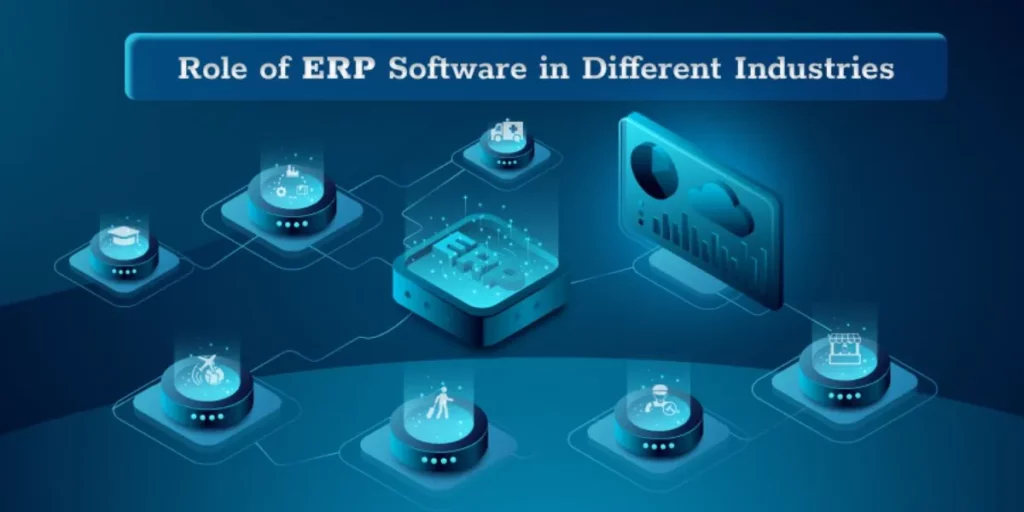
In today’s fast-paced and ever-evolving business landscape, organizations across various industries are constantly striving to stay competitive, streamline their operations, and enhance their overall efficiency. Enterprise Resource Planning (ERP) systems have emerged as invaluable tools to achieve these goals. Among the top contenders in the ERP market, SAP Business One (SAP B1), offered by Osswal Infosystem, stands out for its ability to cater to the unique needs of different industries. This blog will explore how SAP B1 addresses these distinct requirements and helps organizations thrive in their respective sectors. Understanding the Versatility of SAP B1 Before delving into specific industries, it’s crucial to understand why SAP B1 is considered a versatile and robust ERP solution. SAP B1 is designed to provide an integrated and holistic approach to managing various business processes, from finance and accounting to inventory and customer relationship management. Its scalability, user-friendliness, and adaptability make it an attractive choice for small and mid-sized enterprises (SMEs) and larger organizations. The key to SAP B1’s success in meeting the unique needs of various industries lies in its ability to be highly customizable. This ERP system can be tailored to align with the specific processes, regulations, and demands of different sectors, ensuring that businesses can leverage their full potential. Now, let’s explore how SAP B1 caters to the distinct requirements of some prominent industries. Manufacturing Industry Manufacturing companies often deal with complex supply chains, production processes, and inventory management. SAP B1 provides a comprehensive solution by enabling manufacturers to: Retail and E-commerce The retail and e-commerce sectors require agility and adaptability to respond to changing consumer trends. SAP B1 addresses these needs by: Healthcare and Life Sciences In the highly regulated healthcare and life sciences industry, SAP B1 offers features such as: Professional Services Professional services firms rely on efficient project management and resource allocation. SAP B1 offers features to support these needs, including: Agriculture and Agribusiness In the agriculture sector, SAP B1 addresses specific challenges: Conclusion SAP B1, provided by Osswal Infosystem, proves to be a versatile and adaptable ERP solution that can address the unique needs of various industries. Its flexibility, customization capabilities, and comprehensive feature set make it an attractive choice for businesses looking to enhance efficiency, streamline operations, and stay competitive in their respective sectors. Whether you operate in manufacturing, retail, healthcare, professional services, agriculture, or any other industry, SAP B1 can be tailored to align with your specific requirements. By choosing SAP ERP, organizations can effectively navigate the challenges and capitalize on the opportunities presented by their industry, ultimately achieving sustainable growth and success.

How SAP B1 Addresses the Unique Needs of Different Industries? Read More »

SAP Business One

In the dynamic world of modern business, adaptability and efficiency are paramount. Companies need to respond swiftly to market changes and customer demands to remain competitive. This is where a robust enterprise resource planning (ERP) system like SAP Business One comes into play. However, to truly harness its power, customization is often necessary. In this blog, we’ll explore the importance of customizing SAP Business One to align it with your specific business needs. The Flexibility of SAP Business One: SAP Business One is a comprehensive ERP solution designed to streamline business operations, from finance and sales to inventory and customer relationship management. What makes SAP B1 stand out is its inherent flexibility. It serves as a solid foundation upon which you can build a system tailored to your unique business processes. Why Customization Matters: Adaptation to Industry-Specific Needs: Every industry has its own set of requirements and regulations. SAP Business One allows you to adapt the system to suit these specific needs. Whether you’re in manufacturing, retail, or services, customization ensures that the ERP system can handle industry-specific workflows and compliance issues seamlessly. Optimized Workflows: Businesses often have unique workflows that set them apart from competitors. By customizing SAP B1, you can automate processes, reduce manual data entry, and improve workflow efficiency. This leads to reduced operational costs and increased productivity. Better Decision-making: One of the primary benefits of SAP Business One is its ability to provide real-time insights through advanced reporting and analytics. Customization enables you to focus on the key performance indicators (KPIs) that matter most to your business. This means you can make informed decisions based on data that aligns with your strategic goals. Enhanced User Experience: Employees who find a system easy to use are more likely to embrace it. Customizing the user interface of SAP B1 can simplify tasks and improve the overall user experience. This not only boosts productivity but also reduces training time for new employees. Customization Options in SAP Business One: SAP Business One offers several ways to customize the system: User-Defined Fields: You can add custom fields to records such as customer master data, vendor master data, or item master data. These fields can capture specific information relevant to your business. Document Customization: Customize document layouts, such as invoices and purchase orders, to match your branding and communication style. This leaves a professional impression on customers and partners. Workflow Templates: Create custom workflows that automate processes based on your unique requirements. For example, you can set up approval workflows for purchase orders or automate order processing. Add-ons and Extensions: SAP Business One supports the integration of third-party add-ons and extensions. These can extend the functionality of the system to meet specialized needs, such as e-commerce integration or advanced reporting tools. Conclusion: In today’s competitive business landscape, customizing SAP B1 is not a luxury but a necessity. It empowers your organization to adapt, optimize, and thrive in a rapidly changing environment. By aligning the system with your specific business needs, you can improve operational efficiency, make better decisions, and provide a superior experience for both employees and customers. Embrace customization, and SAP Business One will become a valuable asset in your journey toward business success.

Customizing SAP Business One: Tailoring the System to Your Business Needs Read More »

SAP Business One

In today’s fast-paced business environment, small and medium-sized enterprises (SMEs) are increasingly turning to SAP Business One to streamline their operations and drive growth. This powerful enterprise resource planning (ERP) solution offers a wide range of functionalities to manage finances, sales, customer relationships, and more. However, the successful implementation of SAP Business One requires careful planning and execution. In this blog post, we’ll explore key strategies to ensure a smooth and successful implementation. Define Clear Objectives: Before diving into the implementation process, it’s crucial to define your business objectives and expectations from SAP Business One. Identify the specific problems you want to solve and the goals you want to achieve. This clarity will guide the entire implementation process and help you measure its success. SAP Business One, integrated seamlessly with the Osswal Infosystem, empowers businesses with unparalleled efficiency and insight. This dynamic synergy optimizes operations by providing real-time data access, enhanced financial management, and streamlined processes. With SAP Business One’s robust capabilities and the Osswal Infosystem expertise in open-source solutions, organizations can achieve a new level of agility and productivity, making informed decisions and staying ahead in today’s competitive landscape. Harness the power of this integration to drive growth and stay at the forefront of innovation. Engage Stakeholders: Successful SAP Business One implementation is a team effort. Engage key stakeholders from various departments within your organization, including finance, sales, and IT. Their input and buy-in are essential to align the solution with your business needs. Select the Right Implementation Partner: Choosing the right implementation partner is perhaps the most critical decision in this process. Look for partners with a proven track record in SAP Business One implementation and a deep understanding of your industry. They should be able to customize the solution to fit your unique requirements. Thorough Planning:  A well-thought-out implementation plan is the foundation of success. It should include a timeline, budget, resource allocation, and risk assessment. A phased approach can help manage complexity and reduce the disruption to your daily operations. Data Migration and Cleansing: Data is the lifeblood of your business. Ensure that your data is clean, accurate, and up-to-date before migrating it to SAP Business One. Data cleansing and validation are crucial steps to prevent issues down the road. User Training: Don’t underestimate the importance of user training. Invest in comprehensive training programs for your staff to ensure they can fully utilize the system’s capabilities. Well-trained users are more likely to embrace the new system and maximize its benefits. Testing and Quality Assurance: Rigorous testing and quality assurance are essential to identify and resolve any issues before the system goes live. Test various scenarios to ensure the system behaves as expected and meets your business requirements. Change Management:  Implementing SAP Business One often brings significant changes to your business processes. Effective change management is vital to help your employees adapt to these changes smoothly. Communicate the benefits of the new system and provide support during the transition. Continuous Improvement: After the system is live, it’s important to continually assess its performance and gather feedback from users. Regular updates and improvements will help you maximize the long-term value of SAP Business One. Post-Implementation Support: Your relationship with your implementation partner shouldn’t end when the system is live. Ensure you have a support plan in place for ongoing maintenance, troubleshooting, and updates. In conclusion, implementing SAP Business One successfully requires a strategic approach that involves careful planning, stakeholder engagement, and a commitment to ongoing improvement. By following these key strategies, SMEs can harness the power of SAP Business One to drive efficiency, improve decision-making, and achieve sustainable growth. Remember that the journey doesn’t end with implementation; it’s just the beginning of a more streamlined and competitive future for your business.

Implementation SAP Business One Successfully: Key Strategies Read More »

ERP

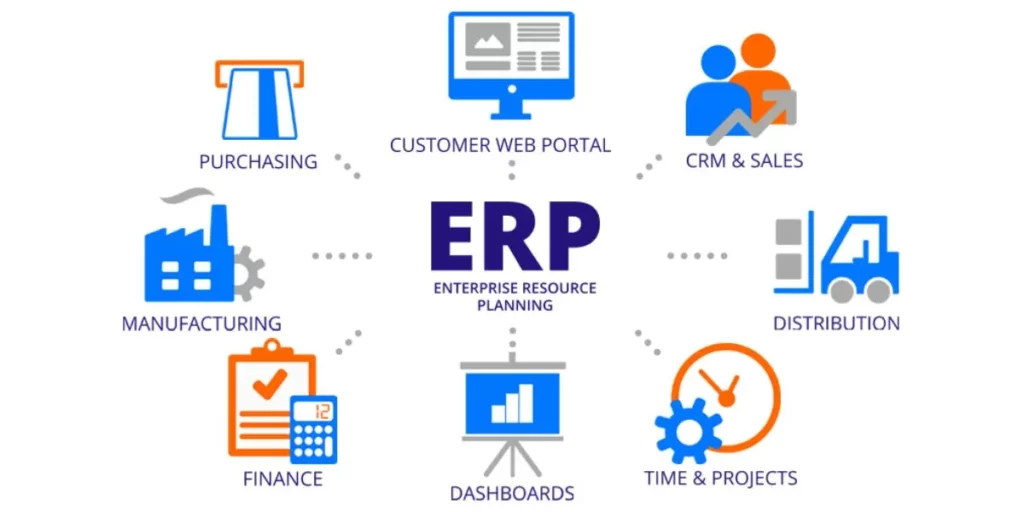
Enterprise Resource Planning (ERP) systems have long been associated with large enterprises managing complex operations. However, in today’s fast-evolving business landscape, small businesses are also recognizing the immense value that ERP solutions can offer. Contrary to the misconception that ERP is exclusively for larger organizations, ERP for small businesses is gaining traction as a means to streamline operations, enhance efficiency, and gain a competitive edge. In this blog post, we’ll explore how ERP systems can be tailored to meet the unique needs of small businesses. Understanding Small Business Needs Small businesses have distinct operational characteristics and challenges that set them apart from larger enterprises. Recognizing these unique needs is crucial when implementing an ERP system tailored for small businesses. 1. Scalability and Growth Potential Small businesses often start with limited resources and staff. An effective ERP solution for small businesses should be scalable, allowing them to expand operations without significant disruptions. It should accommodate the growing demands and changing requirements as the business matures. 2. Budget Constraints Cost-consciousness is a common trait among small businesses. Investing in an ERP system must provide a clear return on investment. Therefore, ERP Software for small businesses should be budget-friendly without compromising on essential features. 3. Ease of Use Small businesses typically have limited IT resources and personnel. The ERP system should be user-friendly, with a minimal learning curve. This allows small businesses to quickly on-board employees and start benefiting from the system. 4. Flexibility and Customization Every small business has unique processes and workflows. An adaptable ERP system should offer flexibility and customization options to align with these specific needs. Whether it’s managing inventory, handling orders, or tracking finances, the ERP system should be able to accommodate these distinct requirements. Benefits of ERP for Small Businesses Now, let’s explore how an ERP system tailored for small businesses can provide substantial benefits: 1. Streamlined Operations ERP systems consolidate various business processes into a unified platform. This streamlining eliminates redundant tasks and automates routine activities, enhancing overall operational efficiency. 2. Data Accuracy and Decision-Making Small businesses often rely on accurate data to make informed decisions. An ERP Software ensures data accuracy, reducing errors and providing real-time insights into business operations. 3. Improved Customer Relations A well-implemented ERP Software allows small businesses to offer better customer service. It enables timely responses to customer inquiries, efficient order processing, and enhanced communication. 4. Cost Savings Small businesses can realize cost savings by automating processes, optimizing inventory management, and reducing manual data entry. Additionally, streamlined operations can lead to cost efficiencies. 5. Scalability As small businesses grow, their ERP system can scale with them. This adaptability ensures that the system remains a valuable asset as the business expands. 6. Competitive Edge An ERP system empowers small businesses to compete effectively with larger counterparts. It enhances their ability to respond to market changes, customer demands, and industry trends. Choosing the Right ERP Solution Selecting the right ERP solution for a small business involves careful consideration. Here are some steps to help make an informed choice: 1. Assess Business Needs: Begin by identifying the specific needs and goals of your small business. What processes do you want to streamline, and what outcomes are you aiming for? 2. Budget Planning: Determine a realistic budget for your ERP implementation. Look for solutions that offer a good balance between features and cost-effectiveness. 3. Scalability: Ensure that the ERP system can accommodate your growth plans without requiring a complete overhaul. 4. Customization: Look for an ERP system that allows customization to tailor it to your unique business processes. 5. User-Friendliness: Consider the ease of use and accessibility of the ERP system. It should be intuitive and require minimal training. 6. Vendor Support: Choose a reputable ERP vendor with a track record of serving small businesses and providing responsive support. In conclusion, ERP for small businesses is not only feasible but highly beneficial. Small businesses can leverage tailored ERP solutions to optimize operations, enhance efficiency, and gain a competitive edge. By recognizing their unique needs, selecting the right ERP solution, and planning for growth, small businesses can embark on a transformative journey that propels them toward sustainable success in the modern business landscape.

ERP Software for Small Business: Tailoring Solutions to Unique Needs Read More »

ERP

Implementing an Enterprise Resource Planning (ERP) system can be a transformative journey for any organization. While the promise of streamlined operations and improved efficiency is enticing, the path to ERP success often involves significant changes in processes, workflows, and even company culture. To navigate this transformation successfully, a robust change management strategy is essential. In this blog post, we will explore effective change management strategies that pave the way for a successful ERP implementation. Establish Clear Objectives and Vision Before embarking on an ERP implementation, it’s crucial to define clear objectives and a compelling vision for the project. What specific outcomes do you hope to achieve with the ERP system? How will it align with your business goals? Communicate this vision to all stakeholders, from top-level executives to end-users. A well-defined vision serves as a guiding light throughout the implementation process. Build a Cross-Functional Team ERP implementation is a multifaceted endeavor that involves various departments and stakeholders. Create a cross-functional team representing different areas of the organization. This team will help ensure that all perspectives are considered, and that the ERP system aligns with the needs of different departments. It also fosters a sense of ownership and collaboration among team members. Conduct Comprehensive Training Effective training is paramount to ERP success. Invest in comprehensive training programs tailored to different user groups. Ensure that employees have the skills and knowledge they need to use the ERP system effectively. Training should not be a one-time event but an ongoing process to address evolving needs and new hires. Communication is Key Transparent and frequent communication is vital during ERP implementation. Keep all stakeholders informed about project progress, milestones, and any changes. Address concerns and provide a platform for feedback. An open and communicative approach builds trust and reduces resistance to change. Manage Resistance to Change Resistance to change is natural in any organization. Recognize this resistance and address it proactively. Identify change champions within your organization who can lead by example and encourage others to embrace the changes. Engage with employees to understand their concerns and provide support and reassurance. Pilot Testing and Feedback Loops Before rolling out the ERP Software organization-wide, conduct pilot testing with a select group of users. Gather feedback and use it to fine-tune the system and address any issues. This iterative approach ensures that the ERP system is refined and optimized before widespread deployment. Celebrate Small Wins Acknowledge and celebrate small wins and milestones throughout the ERP implementation process. Recognizing achievements boosts morale and keeps employees motivated. It also reinforces the notion that progress is being made toward the ultimate goal. Document Processes and Best Practices Documenting processes and best practices is essential for knowledge transfer and continuity. Ensure that employees have access to clear guidelines and documentation for using the ERP system effectively. This documentation becomes a valuable resource for ongoing training and reference. Provide Ongoing Support Post-implementation support is critical. Establish a support system that users can turn to for assistance and troubleshooting. Timely resolution of issues and continuous improvement efforts contribute to long-term ERP success. Monitor and Measure Progress Set Key Performance Indicators (KPIs) to monitor the impact of the ERP system on your organization’s performance. Regularly measure progress against these KPIs to assess the system’s effectiveness and identify areas for improvement. In conclusion, ERP implementation is not just about adopting new technology; it’s about managing change effectively. A well-planned change management strategy is essential to ensure that the ERP system delivers the anticipated benefits while minimizing disruptions. By establishing clear objectives, building a cross-functional team, providing comprehensive training, fostering open communication, and addressing resistance to change, organizations can navigate the ERP implementation process with confidence and achieve successful outcomes that propel them toward greater efficiency and competitiveness.

Change Management Strategies for Successful ERP Implementation Read More »

ERP

In today’s rapidly evolving business landscape, financial management and reporting have become increasingly complex tasks. Organizations are constantly seeking ways to enhance their financial processes, improve accuracy, and gain real-time insights into their financial health. This is where Enterprise Resource Planning (ERP) systems come into play, offering a transformative solution to streamline financial management and reporting. In this blog post, we will explore the significant role that ERP plays in this crucial aspect of business operations. 1. Centralized Financial Data One of the fundamental contributions of ERP systems to financial management is centralizing financial data. Traditional financial processes often involve multiple disconnected systems and spreadsheets, leading to data fragmentation and inconsistency. ERP software consolidates financial data from various departments into a single, unified platform. This centralization eliminates data silos, reducing errors and providing a holistic view of financial information. 2. Enhanced Financial Visibility ERP systems empower organizations with real-time visibility into their financial performance. With up-to-the-minute data available at your fingertips, financial managers can make informed decisions quickly. This visibility extends beyond basic financial statements to include detailed insights into cash flow, budget variance, and financial forecasts. The ability to access accurate and timely information is crucial for steering the organization in the right direction. 3. Automation of Financial Processes ERP systems automate a wide range of financial processes, from accounts payable and receivable to payroll and expense management. Automation reduces manual data entry, minimizes errors, and accelerates transaction processing. For example, automated invoice processing can help organizations pay vendors on time while taking advantage of early payment discounts, improving cash flow management. 4. Improved Compliance and Reporting Financial regulations and reporting requirements continue to grow in complexity. ERP systems offer robust compliance and reporting tools that help organizations stay on top of these requirements. Automated report generation ensures that financial statements and regulatory filings are accurate and submitted in a timely manner. Additionally, ERP systems can provide audit trails and historical data, facilitating compliance audits and reducing the risk of financial penalties. 5. Streamlined Budgeting and Forecasting Effective budgeting and forecasting are essential for financial planning and decision-making. ERP Software provide advanced tools for creating, tracking, and analysing budgets. These systems enable organizations to develop accurate financial forecasts based on historical data and real-time performance metrics. By aligning budgeting and forecasting with actual financial data, organizations can adapt to changing market conditions and make data-driven decisions. 6. Cost Control and Reduction Controlling and reducing costs are paramount for financial success. ERP systems help identify areas where cost savings can be achieved. By monitoring expenses, analysing procurement data, and optimizing inventory management, organizations can minimize unnecessary expenditures and maximize profitability. Additionally, ERP systems provide insights into the cost-effectiveness of various processes, enabling continuous improvement efforts. 7. Enhanced Financial Collaboration ERP systems promote collaboration among finance teams and other departments. With shared access to financial data and reporting tools, different teams can work together to analyze financial information, identify trends, and make informed decisions. This collaboration fosters a more cohesive and coordinated approach to financial management. Conclusion In today’s business landscape, effective financial management and reporting are critical for success and growth. ERP systems have emerged as indispensable tools in this regard, offering centralized data, real-time visibility, automation, compliance support, and advanced budgeting capabilities. By harnessing the power of ERP, organizations can streamline their financial processes, reduce errors, enhance decision-making, and ultimately achieve greater financial stability and competitiveness. As financial management continues to evolve, ERP systems will remain essential for organizations striving to maintain a strong financial footing in an ever-changing world.

The Role of ERP Software in Financial Management and Reporting Read More »

ERP implementation

Enterprise Resource Planning (ERP) systems are powerful tools that help businesses streamline operations, improve efficiency, and gain better control over their processes. However, one critical decision businesses must make when implementing an ERP system is whether to customize or configure it to meet their specific needs. In this blog post, we’ll explore the differences between ERP customization and configuration and discuss how to strike the right balance between the two. Understanding ERP Configuration ERP configuration involves tailoring the system to align with your business processes by making adjustments within the existing framework of the ERP software. Configuration typically utilizes built-in tools, settings, and options provided by the ERP vendor to adapt the system to your requirements. Benefits of ERP Configuration: Faster Implementation: Configuration is usually quicker than customization because it relies on existing features and functionalities. Cost-Effective: It often comes at a lower cost as you’re not building entirely new components. Easier Maintenance and Upgrades: Configured ERP systems are generally easier to maintain and upgrade since they rely on standard features. Exploring ERP Customization ERP customization, on the other hand, involves altering the software’s source code to develop new functionalities or modify existing ones. This approach provides a high degree of flexibility but comes with higher costs and complexities. Benefits of ERP Customization: Tailored Solutions: Customization allows you to create precise solutions that match your unique business processes. Competitive Advantage: It can provide a competitive edge by allowing you to develop features that set you apart from competitors. Addressing Specific Needs: Customization is essential when your business has highly specialized or unique requirements that cannot be met through configuration alone. Finding the Right Balance Striking the right balance between customization and configuration is crucial to a successful ERP implementation. Here are some key considerations to help guide your decision: Understand Your Business Needs: Begin by thoroughly understanding your organization’s unique requirements. Identify which processes are core to your business and where customization may be necessary for a competitive advantage. Leverage Standard Features: Whenever possible, use the standard features and functionalities provided by your ERP system. These are typically well-tested and easier to maintain. Future-Proofing: Consider the long-term impact of customization. Will it complicate future upgrades or maintenance? Ensure that your customization efforts won’t hinder your system’s scalability or flexibility. Vendor Support: Consult with your ERP vendor to understand the extent to which customization is recommended or supported. Some vendors discourage extensive customization due to potential complications. Cost-Benefit Analysis: Evaluate the cost implications of customization versus configuration. Customization can be expensive, so weigh the benefits it brings against the added cost. User Training: Keep in mind that customization may require additional training for your team to effectively use and maintain the modified ERP system. Documentation: Thoroughly document any customizations made to the ERP system. This documentation will be invaluable for troubleshooting, maintenance, and knowledge transfer. Testing and Validation: Rigorously test customized components to ensure they function as intended and do not introduce errors or vulnerabilities. In conclusion, finding the right balance between ERP customization and configuration is a critical decision that can impact the success of your ERP implementation. While customization offers tailored solutions and a competitive edge, it comes with added costs and complexities. Configuration, on the other hand, is quicker, more cost-effective, and easier to maintain but may not fully address unique business needs. By carefully evaluating your organization’s requirements and considering the long-term implications, you can make an informed decision that maximizes the value of your ERP system while minimizing risks and complications. Ultimately, the goal is to leverage the power of ERP technology to streamline your operations and drive business growth.

ERP Customization vs. Configuration: Finding the Right Balance Read More »

Cloud ERP

Cloud EPR Software In today’s rapidly evolving business landscape, adaptability and efficiency are paramount. Traditional on-premises Enterprise Resource Planning (ERP) systems, once the go-to solution for managing a wide range of business processes, are finding themselves overshadowed by their cloud-based counterparts. Cloud ERP systems are playing a pivotal role in reshaping how businesses operate and succeed in the digital age. In this blog, we will delve into the transformative role of ERP in modern business and explore the many benefits it offers. The Evolution of ERP The concept of ERP systems traces its roots back to the 1960s when these solutions were primarily designed to automate and streamline back-office operations like finance, inventory management, and procurement. Over the years, the scope of ERP systems expanded to include a wide array of functions, encompassing areas such as human resources, supply chain management, and customer relationship management. Traditional ERP systems were often associated with significant upfront costs, lengthy implementation periods, and substantial investments in IT infrastructure. While they undoubtedly delivered value by enhancing operational efficiency, they frequently fell short when it came to adapting to the rapidly changing demands of modern businesses. The Emergence of Cloud ERP The emergence of cloud computing marked a paradigm shift in the ERP landscape. Cloud ERP solutions are hosted and managed by third-party providers, and accessible via the Internet. This transition brought forth a slew of game-changing advantages: Cost-Efficiency: Cloud ERP eliminates the need for substantial upfront investments in hardware and IT infrastructure. Businesses can now opt for a subscription-based model, paying only for the resources and functionalities they require. This dramatic reduction in the total cost of ownership makes ERP an attractive proposition for businesses of all sizes. Scalability: One of the standout features of ERP is its scalability. Whether you’re a burgeoning start-up or an established enterprise, you can effortlessly scale your ERP system up or down to accommodate your evolving needs. This scalability ensures that your ERP solution grows alongside your business. Accessibility and Mobility: Cloud ERP provides ubiquitous access via the Internet, empowering employees to work from anywhere with an Internet connection. This not only facilitates remote work but also fosters global collaboration. Critical business data is now accessible at your fingertips, 24/7. Faster Implementation:  ERP systems typically boast shorter implementation timelines compared to their traditional counterparts. This accelerated deployment means businesses can start realizing the benefits of their ERP solution in a much shorter timeframe. Enhanced Collaboration and Insights: Cloud ERP fosters seamless collaboration among departments and offers real-time insights into business operations. This promotes data-driven decision-making, helping organizations stay agile and responsive in a rapidly changing marketplace. Conclusion The role of cloud ERP in modern business is nothing short of transformative. It streamlines operations, slashes costs, and empowers organizations to adapt and thrive in today’s digital era. As businesses continue to prioritize efficiency, scalability, and accessibility, Cloud ERP solutions are set to remain at the forefront of enterprise technology, propelling businesses toward new heights of success. In this age of constant change, embracing cloud ERP is more than just a choice; it’s a strategic imperative for those seeking to stay competitive and relevant in the ever-evolving world of business.

The Role of Cloud ERP in Modern Business Operations Read More »