

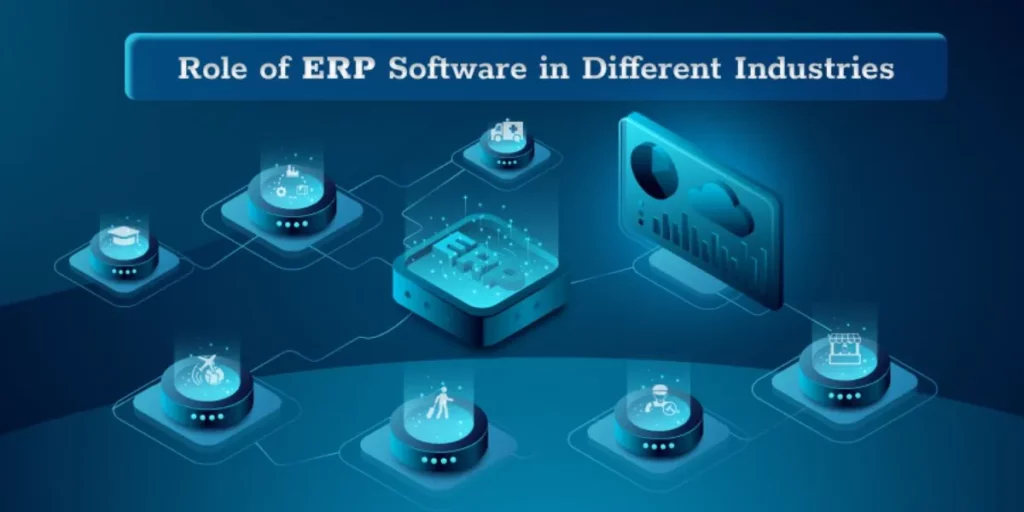
ERP Software

ERP

In today’s rapidly evolving business landscape, financial management and reporting have become increasingly complex tasks. Organizations are constantly seeking ways to enhance their financial processes, improve accuracy, and gain real-time insights into their financial health. This is where Enterprise Resource Planning (ERP) systems come into play, offering a transformative solution to streamline financial management and reporting. In this blog post, we will explore the significant role that ERP plays in this crucial aspect of business operations. 1. Centralized Financial Data One of the fundamental contributions of ERP systems to financial management is centralizing financial data. Traditional financial processes often involve multiple disconnected systems and spreadsheets, leading to data fragmentation and inconsistency. ERP software consolidates financial data from various departments into a single, unified platform. This centralization eliminates data silos, reducing errors and providing a holistic view of financial information. 2. Enhanced Financial Visibility ERP systems empower organizations with real-time visibility into their financial performance. With up-to-the-minute data available at your fingertips, financial managers can make informed decisions quickly. This visibility extends beyond basic financial statements to include detailed insights into cash flow, budget variance, and financial forecasts. The ability to access accurate and timely information is crucial for steering the organization in the right direction. 3. Automation of Financial Processes ERP systems automate a wide range of financial processes, from accounts payable and receivable to payroll and expense management. Automation reduces manual data entry, minimizes errors, and accelerates transaction processing. For example, automated invoice processing can help organizations pay vendors on time while taking advantage of early payment discounts, improving cash flow management. 4. Improved Compliance and Reporting Financial regulations and reporting requirements continue to grow in complexity. ERP systems offer robust compliance and reporting tools that help organizations stay on top of these requirements. Automated report generation ensures that financial statements and regulatory filings are accurate and submitted in a timely manner. Additionally, ERP systems can provide audit trails and historical data, facilitating compliance audits and reducing the risk of financial penalties. 5. Streamlined Budgeting and Forecasting Effective budgeting and forecasting are essential for financial planning and decision-making. ERP Software provide advanced tools for creating, tracking, and analysing budgets. These systems enable organizations to develop accurate financial forecasts based on historical data and real-time performance metrics. By aligning budgeting and forecasting with actual financial data, organizations can adapt to changing market conditions and make data-driven decisions. 6. Cost Control and Reduction Controlling and reducing costs are paramount for financial success. ERP systems help identify areas where cost savings can be achieved. By monitoring expenses, analysing procurement data, and optimizing inventory management, organizations can minimize unnecessary expenditures and maximize profitability. Additionally, ERP systems provide insights into the cost-effectiveness of various processes, enabling continuous improvement efforts. 7. Enhanced Financial Collaboration ERP systems promote collaboration among finance teams and other departments. With shared access to financial data and reporting tools, different teams can work together to analyze financial information, identify trends, and make informed decisions. This collaboration fosters a more cohesive and coordinated approach to financial management. Conclusion In today’s business landscape, effective financial management and reporting are critical for success and growth. ERP systems have emerged as indispensable tools in this regard, offering centralized data, real-time visibility, automation, compliance support, and advanced budgeting capabilities. By harnessing the power of ERP, organizations can streamline their financial processes, reduce errors, enhance decision-making, and ultimately achieve greater financial stability and competitiveness. As financial management continues to evolve, ERP systems will remain essential for organizations striving to maintain a strong financial footing in an ever-changing world.

The Role of ERP Software in Financial Management and Reporting Read More »
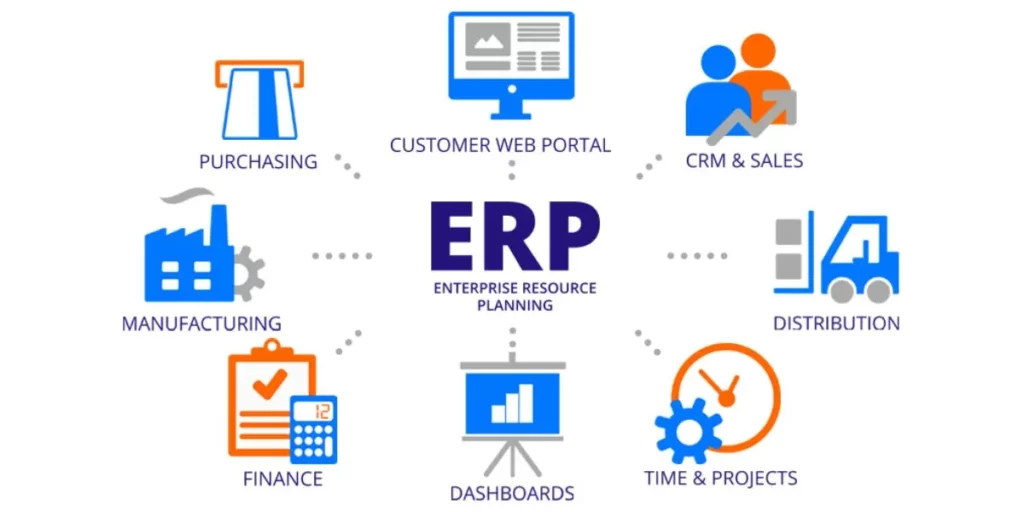
ERP implementation

Enterprise Resource Planning (ERP) systems are powerful tools that help businesses streamline operations, improve efficiency, and gain better control over their processes. However, one critical decision businesses must make when implementing an ERP system is whether to customize or configure it to meet their specific needs. In this blog post, we’ll explore the differences between ERP customization and configuration and discuss how to strike the right balance between the two. Understanding ERP Configuration ERP configuration involves tailoring the system to align with your business processes by making adjustments within the existing framework of the ERP software. Configuration typically utilizes built-in tools, settings, and options provided by the ERP vendor to adapt the system to your requirements. Benefits of ERP Configuration: Faster Implementation: Configuration is usually quicker than customization because it relies on existing features and functionalities. Cost-Effective: It often comes at a lower cost as you’re not building entirely new components. Easier Maintenance and Upgrades: Configured ERP systems are generally easier to maintain and upgrade since they rely on standard features. Exploring ERP Customization ERP customization, on the other hand, involves altering the software’s source code to develop new functionalities or modify existing ones. This approach provides a high degree of flexibility but comes with higher costs and complexities. Benefits of ERP Customization: Tailored Solutions: Customization allows you to create precise solutions that match your unique business processes. Competitive Advantage: It can provide a competitive edge by allowing you to develop features that set you apart from competitors. Addressing Specific Needs: Customization is essential when your business has highly specialized or unique requirements that cannot be met through configuration alone. Finding the Right Balance Striking the right balance between customization and configuration is crucial to a successful ERP implementation. Here are some key considerations to help guide your decision: Understand Your Business Needs: Begin by thoroughly understanding your organization’s unique requirements. Identify which processes are core to your business and where customization may be necessary for a competitive advantage. Leverage Standard Features: Whenever possible, use the standard features and functionalities provided by your ERP system. These are typically well-tested and easier to maintain. Future-Proofing: Consider the long-term impact of customization. Will it complicate future upgrades or maintenance? Ensure that your customization efforts won’t hinder your system’s scalability or flexibility. Vendor Support: Consult with your ERP vendor to understand the extent to which customization is recommended or supported. Some vendors discourage extensive customization due to potential complications. Cost-Benefit Analysis: Evaluate the cost implications of customization versus configuration. Customization can be expensive, so weigh the benefits it brings against the added cost. User Training: Keep in mind that customization may require additional training for your team to effectively use and maintain the modified ERP system. Documentation: Thoroughly document any customizations made to the ERP system. This documentation will be invaluable for troubleshooting, maintenance, and knowledge transfer. Testing and Validation: Rigorously test customized components to ensure they function as intended and do not introduce errors or vulnerabilities. In conclusion, finding the right balance between ERP customization and configuration is a critical decision that can impact the success of your ERP implementation. While customization offers tailored solutions and a competitive edge, it comes with added costs and complexities. Configuration, on the other hand, is quicker, more cost-effective, and easier to maintain but may not fully address unique business needs. By carefully evaluating your organization’s requirements and considering the long-term implications, you can make an informed decision that maximizes the value of your ERP system while minimizing risks and complications. Ultimately, the goal is to leverage the power of ERP technology to streamline your operations and drive business growth.

ERP Customization vs. Configuration: Finding the Right Balance Read More »

ERP Solution

Determine the features and functions your business needs To successfully implement an ERP Software, it’s crucial to determine the specific features and functions that align with your business’s unique needs. Start by evaluating your core processes, from finance and inventory management to HR and customer relations. Identify pain points and areas for improvement, then prioritize features that address these challenges. Customizability, scalability, and user-friendliness should also factor into your decision. Remember that one size doesn’t fit all; choose an ERP solution that caters to your organization’s requirements, ensuring a seamless integration that enhances efficiency and productivity. Figure out if your ERP integrates with other software you use Selecting an ERP system isn’t just about its standalone capabilities; it’s also about how well it integrates with the other software your business relies on. Compatibility is key to streamlining operations and data flow. Assess whether your ERP solution seamlessly syncs with your CRM, accounting, e-commerce, or any other critical tools. Integration ensures a cohesive ecosystem where information flows effortlessly between applications, eliminating data silos and reducing manual work. Before committing to an ERP, confirm that it plays nicely with your existing software stack, enabling your business to operate at its most efficient and interconnected best. Consider the functional fit of the ERP system within your organization When choosing an ERP system for your organization, don’t overlook the crucial factor of functional fit. It’s not just about features; it’s about how well those features align with your specific business needs. Evaluate if the ERP can seamlessly adapt to your unique processes, workflows, and industry requirements. A good fit ensures smoother implementation and maximizes the system’s potential, saving time and resources in the long run. Consider the functional fit carefully, matching your organization’s operational intricacies with the capabilities of the ERP, to achieve a harmonious synergy that propels your business towards success. Write a formal request for proposal (RFP) When it comes to selecting the right Enterprise Resource Planning (ERP) solution, a well-structured Request for Proposal (RFP) is your key to success. Writing a formal RFP ensures that you receive comprehensive and relevant information from potential ERP vendors. Begin by outlining your organization’s specific requirements, goals, and timelines. Clearly define evaluation criteria, budget constraints, and desired features. Encourage vendors to provide detailed responses, including their experience, support services, and implementation strategies. A thoughtfully crafted RFP not only streamlines the vendor selection process but also sets the stage for a successful ERP implementation that aligns perfectly with your business needs and objectives. Assess the reputation of your potential ERP vendors Selecting the right ERP system is a pivotal decision, but it doesn’t end there. Equally important is assessing the reputation of the ERP vendors in your consideration. The reputation of your vendor can significantly impact the success of your ERP implementation. Begin by researching the vendor’s track record. Look for reviews, testimonials, and case studies from their clients. Are they known for delivering on promises? Do they offer reliable support and updates? Consider their financial stability as well; you want a vendor with a secure future. By choosing a reputable ERP vendor, you’re not just investing in software; you’re investing in a partnership that can drive your business to new heights. Consider the costs and associated expenses When diving into the world of Enterprise Resource Planning (ERP), it’s essential to consider more than just the upfront software costs. The total cost of ownership (TCO) includes various associated expenses that can significantly impact your budget. Start by assessing implementation costs, including software licensing, customization, and data migration. Don’t forget ongoing expenses like maintenance, support, and training. Consider the potential for hidden costs, such as hardware upgrades or integration fees. A comprehensive understanding of the financial landscape is crucial. By carefully evaluating all costs and expenses, you can make an informed decision about which ERP system aligns best with your budget and long-term business goals. Assess what you’ll need for ongoing support Implementing an Enterprise Resource Planning (ERP) system is a long-term commitment, and it’s vital to plan for ongoing support. Beyond the initial setup, consider what you’ll need to ensure your ERP runs smoothly. Evaluate the need for technical support, updates, and maintenance. Assess whether your team requires training to maximize the systems potential. Factor in potential scalability and how the ERP adapts as your organization grows. By proactively assessing your ongoing support requirements, you can ensure that your ERP investment remains a valuable asset, providing the necessary assistance and flexibility to meet your evolving business needs.

Selecting the Right ERP Software for Your Business: A Comprehensive Guide Read More »

SAP Business one

What is pricing used for in SAP? Demystifying Pricing Conditions in SAP: A Comprehensive Overview In the world of enterprise resource planning (ERP) systems, SAP (Systems, Applications, and Products) has carved out a formidable reputation for itself. One of the critical functionalities within SAP is its price conditions feature. But what exactly are pricing conditions in SAP, and why are they so crucial for businesses? Let’s dive into the intricacies of this essential component. Understanding Pricing Conditions: The Basics In SAP, cost conditions refer to the parameters and rules that determine the final price of a product or service. These conditions play a pivotal role in ensuring accurate and consistent price across various business processes. Whether it’s sales, procurement, or billing, price conditions help organizations maintain transparency and uniformity in their financial transactions. Components of Pricing Conditions Pricing conditions in SAP consist of several key components:Condition Type: Each costing condition is identified by a unique condition type. For example, “PR00” might represent the base price of a product, while “MWST” could denote the tax rate. Condition Record: A condition record specifies the details of a specific condition, such as its value, validity period, and other relevant parameters. These records are maintained in condition tables and are crucial for accurate price calculations. Access Sequence: An access sequence determines the order in which condition records are accessed during cost. This sequence ensures that the system retrieves the most relevant condition record based on predefined criteria. Condition Table: Condition tables serve as a repository for condition records. Each table consists of fields that help define the conditions, such as customer group, material, or sales organization. Condition Technique: The condition technique involves defining how SAP should use condition types, access sequences, and condition tables to determine the final price. It’s a rule-based approach that provides flexibility in adapting cost strategies to business requirements. Read More About SAP business One ERP Importance of Pricing Conditions Accurate cost is a cornerstone of successful business operations. Pricing conditions in SAP offer several advantages:                                                                                        Consistency: By using predefined condition types and rules, cost remains consistent across various processes and transactions. This consistency helps prevent errors and ensures a seamless experience for customers and partners. Flexibility: SAP allows businesses to configure pricing conditions based on a variety of factors, such as customer segments, geographic regions, or order quantities. This flexibility enables organizations to implement complex pricing strategies tailored to their specific needs. Transparency: Pricing conditions provide transparency in price calculations, enabling businesses to explain and justify their pricing structures to customers, partners, and regulatory authorities Efficiency: With automated cost calculations, businesses can streamline their processes and reduce manual intervention. This efficiency translates to faster response times and improved customer satisfaction. Conclusion In the intricate landscape of SAP, pricing conditions stand as a fundamental pillar that upholds accurate, consistent, and transparent price practices. These conditions bring together various elements, including condition types, records, tables, and techniques, to ensure that businesses can implement and adapt pricing strategies effectively. As organizations continue to navigate the complexities of modern commerce, mastering pricing conditions in SAP remains an indispensable skill for sustainable growth and success.

What is pricing used for in SAP? Read More »